

TL;DR:
- Community success in attracting office tenants depends on verified infrastructure data, a clear permit timeline, and a named contact, not simply polished marketing. A complete, accurate, and up-to-date listing minimizes friction for site selectors, increasing the chance of shortlisting. Rural communities can build effective listings with basic facts, reliable data, and strategic outreach, supported by marketing expertise.
Make every office listing site-selector ready by proving infrastructure, workforce reach, and a predictable path to occupancy. The minimum that demonstrates readiness is documented utility capacity, clear commute-shed workforce data, and a single responsive contact with a known permit timeline. Site selector office space marketing is not about polish — it is about certainty. FCIDA research confirms that site selectors are buying predictability: clear permitting paths, transparent incentives, and documented utility readiness consistently outweigh premium finishes.
Three things to do this week:
- Update your listing header with verified square footage, building class, lease rate, and vacancy status.
- Attach a single-page site-ready packet (PDF) with utility capacity, broadband provider and speeds, parking count, and an estimated permit timeline.
- Add a named EDO contact with a direct phone number and a plain-language permit pathway.
Pro Tip: A site selector reviewing 40 communities in a single afternoon will skip your listing if the contact is a generic info@ address. One named person with a direct line changes that.
Southwind Marketing helps rural EDOs and chambers build the web presence and listing infrastructure that makes this happen. If your website cannot host a searchable, downloadable site-ready packet today, that is the first gap to close.
Table of Contents
- What is the difference between Class A and Class B office space?
- What do site selectors actually check on an office listing?
- Why do incomplete listings cause communities to get passed over?
- How can EDOs create strong listings without a big budget?
- How should you run a site visit for a corporate prospect?
- Southwind Marketing builds the web presence your listings need
- Key Takeaways
- Why rural readiness beats polish every time
- Useful sources
- FAQ
What is the difference between Class A and Class B office space?
According to BOMA International, building classification is a relative quality rating that signals a property's competitive ability to attract similar tenants. There is no universal square-footage threshold or point score that makes a building Class A everywhere. Classification is market-relative, which means your rural Class A is judged against the best available product in your specific market, not against downtown Chicago.
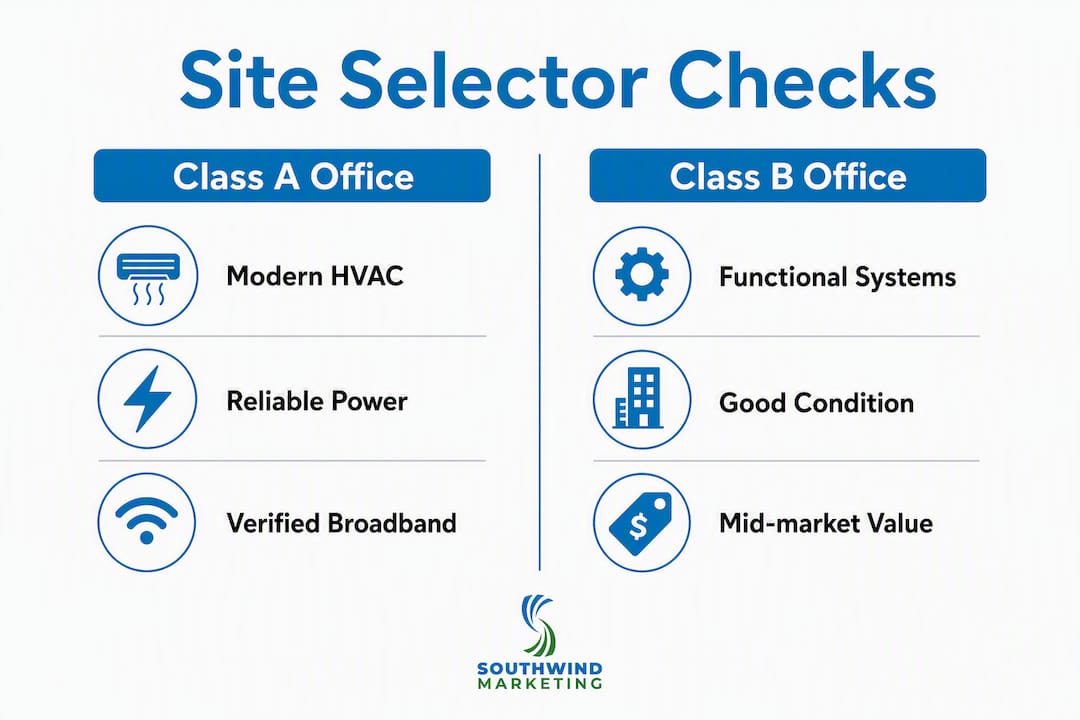
Class A is the highest-prestige product in your local market. Expect modern HVAC, reliable electrical capacity, professional on-site management, controlled access or security, adequate parking (typically 4 stalls per 1,000 square feet or better), and floor plates large enough to support open-plan or divisible configurations. CoStar's classification guidance adds high-quality finishes and accessibility as standard markers.

Class B is functional, well-maintained, and mid-market. Systems may be older but should be in good working condition. Rents are competitive, and the building typically offers solid floor plates with recent updates. For many rural office users, Class B is the right fit.
Valbridge Property Advisors notes that "marketing creep" — brokers labeling every listing Class A — actively undermines credibility with site selectors who know the difference on sight.
| Feature | Class A marketing emphasis | Class B marketing emphasis |
|---|---|---|
| Building systems | Modern HVAC, backup power, fiber | Functional systems, recent updates noted |
| Management | Named on-site manager, direct contact | Responsive owner/manager, clear contact |
| Parking | Ratio, EV charging if present | Count, surface vs. structured |
| Lease rates | Market-competitive with incentive options | Below-metro rates, flexible terms |
| Finishes | Professional, move-in ready | Clean, functional, tenant-improvement ready |
Pro Tip: For rural Class A, skip luxury language. Lead with utility capacity, verified broadband speeds, and parking ratios. Those facts close deals; "upscale finishes" does not.
What do site selectors actually check on an office listing?
Site selectors prioritize infrastructure readiness: high-speed broadband, excess utility capacity, transportation access, and a clear workforce pipeline. Publish that data upfront. If a site selector has to request it, you have already introduced friction.
Every office listing your EDO or chamber publishes should include these verified, documented fields:
- Building class (market-relative, honestly stated)
- Total square footage and divisible floor-plate options
- Floor-to-ceiling heights
- Lease rate (per square foot, per year) and current vacancy
- Parking count and ratio (stalls per 1,000 sf)
- Elevator count and capacity (for multi-story buildings)
- Named on-site management contact
- HVAC system year and condition
- Electrical capacity (amps available, transformer size if known)
- Broadband provider(s) and confirmed speeds
- Emergency or backup power availability
- Environmental or sustainability certifications (LEED, Energy Star if applicable)
- Zoning classification and permitted uses
- Estimated permit timeline from application to certificate of occupancy
- Incentive summary with eligibility notes
- Workforce commute-shed data (30-minute and 45-minute catchments)
FCIDA guidance confirms that shovel-ready buildings with available utilities and development-ready zoning reduce timelines and increase project certainty — two things site selectors weight heavily.
Workforce commute-shed data: what to include
Site selectors evaluate workforce availability within a 30-minute primary commute shed and a 45-minute secondary commute shed. Pull headcount figures from the U.S. Census LEHD (Longitudinal Employer-Household Dynamics) tool or work with a local college or workforce board to generate a one-page summary. Include the total labor force within each ring, the top industry sectors, and any relevant training programs or community college partnerships.
| Required listing field | Example unit | Why site selectors care |
|---|---|---|
| Square footage | Verified square footage, divisible floor plates | Confirms fit for headcount |
| Lease rate | $14.50/SF/year NNN | Enables budget modeling |
| Parking ratio | Parking ratio, stalls per 1,000 SF | Flags employee capacity |
| Broadband | Fiber, 1 Gbps symmetric | Confirms operational readiness |
| Permit timeline | Estimated permit timeline | Reduces project risk |
| 30-min labor force | a sizable local workforce | Validates hiring feasibility |
Why do incomplete listings cause communities to get passed over?
Incomplete or inconsistent facts kill credibility faster than a slightly higher lease rate. A site selector reviewing a shortlist of 15 communities will drop any listing that requires follow-up emails to answer basic questions. Every unanswered field is perceived as a risk.
Common pitfalls that cost communities shortlist spots:
- Missing utility capacity figures. No electrical capacity data signals the building may not support the tenant's operational load.
- No floor plan. Without a labeled floor plan, a site selector cannot confirm divisibility or workflow fit.
- Stale or low-quality photos. A listing with a single blurry exterior photo from 2018 reads as abandoned.
- No named contact. A generic email address or a phone number that goes to voicemail communicates disorganization.
- Inconsistent rent or vacancy data. If your website says 8,000 SF available and the state portal says 4,000 SF, both listings become untrustworthy.
- No permit timeline. Without a clear path to occupancy, the project timeline is undefined — a dealbreaker for companies with board-approved move dates.
- Absent commute-shed data. Skipping workforce numbers forces the site selector to estimate, and estimates favor larger markets.
A community loses a shortlist spot not because its building is uncompetitive, but because the listing leaves too many questions unanswered. Site selectors are not researchers — they are decision-makers on deadline. Give them the answer before they ask the question.
Quick remediation: audit every active listing against the checklist above, update each field with a verified date stamp, replace photos with current images, and assign one named staff member as the listing contact.
How can EDOs create strong listings without a big budget?
You can produce a trustworthy listing with three assets: one verified fact sheet, clear photos and a floor plan, and a single PDF site-ready packet. Then syndicate it.
- Pull commute-shed numbers. Use the Census LEHD OnTheMap tool or partner with your local workforce board for a one-page summary.
- Syndicate the listing — Post to your state's site inventory portal, your EDO or chamber website, SelectUSA, regional broker networks, and LinkedIn outreach to site-selector networks. If budget allows, add a CoStar listing.
For workforce data validation, flash poll tools can supplement census data with real-time local hiring availability signals — useful when your commute-shed numbers need a current-year confidence check.
Pro Tip: Make your site-ready packet PDF text-searchable, not a scanned image. AI tools like ChatGPT and Perplexity index text-based PDFs. A searchable packet means your community can surface in AI-assisted site searches.
Where to publish: municipal or EDO website, state site inventory portal, SelectUSA, regional CRE broker email lists, LinkedIn (direct outreach to site-selector networks), and rural economic development directories.
How should you run a site visit for a corporate prospect?
A predictable, walkable visit experience closes deals. Plan a 90-minute agenda and own the follow-up for the next seven days.
Before the visit:
- Confirm utilities and building systems are accessible and operational.
- Print one site-ready packet per attendee.
- Assign a single host — one person, one phone number.
- Prepare sample lease terms and a local permitting contact.
- Arrange a 15-minute workforce briefing with a community college or workforce board rep.
- Inspect parking and arrival routing; add temporary signage if the entrance is unclear.
Day-of agenda (90 minutes):
- Welcome and community overview (10 minutes)
- Building walkthrough with systems access (40 minutes)
- Workforce and incentive briefing (20 minutes)
- Q&A and next steps (20 minutes)
Follow-up sequence:
- 48 hours: Thank-you email with a digital folder link (site-ready packet, floor plan, commute-shed summary, incentive one-pager).
- 7 days: Follow up with any clarifying items, updated utility testing results, and a documented permit timeline.
- 14 days: Send a one-page recap for the prospect's internal leadership presentation.
Give every visitor a business card and a QR code linking to the digital folder. Small operational details — clear parking signage, visible name badges, a printed agenda — signal that your community runs a tight operation.
Southwind Marketing builds the web presence your listings need
Rural EDOs and chambers that work with Southwind Marketing get site-selector-ready listing pages, downloadable site-ready packets, and the SEO infrastructure that puts those pages in front of corporate real estate professionals searching online.
Southwind Marketing's economic development marketing services include website listing pages built for commercial real estate audiences, site-ready packet templates, commute-shed data dashboards, and Civic Intelligence℠ resident and stakeholder surveys that surface workforce availability data site selectors actually trust. The team also handles SEO for commercial listings, virtual tour setup, and targeted outreach to site-selector networks — all built for rural budgets and small teams.
The path forward is straightforward: start with a free 10-minute website and visibility audit to identify the gaps in your current listings, then move to a scoped listing or site inventory refresh. No long-term contract required to get started.
Key Takeaways
Rural EDOs win site-selector shortlists by publishing verified, dated infrastructure data, a named contact, and a clear permit timeline — not by overstating building class or adding amenity language that experienced selectors discount.
| Point | Details |
|---|---|
| Publish verified data upfront | Every listing needs utility capacity, broadband speeds, parking ratio, and lease rate — dated and sourced. |
| Use honest building classification | Market-relative Class A/B labels build credibility; marketing creep destroys it with experienced site selectors. |
| Include commute-shed workforce data | Provide 30-minute and 45-minute labor force headcounts using Census LEHD or workforce board data. |
| One named contact per listing | A direct name and phone number reduces friction and signals organizational readiness. |
| Southwind Marketing | Builds site-selector-ready listing pages, site-ready packet templates, and EDO website infrastructure for rural communities. |
Why rural readiness beats polish every time
The communities I see win site-selector shortlists are rarely the ones with the glossiest brochures. They are the ones that answer every question before it gets asked. A site selector reviewing a rural market is already managing skepticism — about broadband reliability, about workforce depth, about whether the permit office will pick up the phone. Your listing's job is to eliminate that skepticism with facts, not paper over it with adjectives.
Rural operational practicality consistently outperforms urban-style amenity lists for office operations. Lower operating costs, retention-friendly communities, and direct access to a loyal regional workforce are genuine advantages. Lead with those. A dated site-ready packet, a real floor plan, and a named contact do more for your shortlist conversion rate than any redesigned logo or stock-photo brochure.
Southwind Marketing exists to help rural communities tell that story clearly, on the channels where site selectors are actually looking.
Useful sources
The following primary sources informed this guide. EDO staff can use them to verify facts and explore deeper reading.
- What site selectors look for (FCIDA) — covers incentive transparency, permit pathways, and shovel-ready site requirements; the most direct source for understanding site-selector decision criteria.
- Rural Locations & Site Selection (Business Facilities) — covers infrastructure priorities, commute-shed methodology, and why rural sites win on cost and supply-chain proximity.
- Building Class Definitions (BOMA International) — the U.S. standard reference for market-relative Class A, B, and C definitions used by brokers and appraisers.
- CoStar Glossary: Class A Definition — CoStar's working definition of Class A, widely used in commercial real estate listing platforms.
- Not All Office Buildings Are Class A (Valbridge Property Advisors) — practical appraisal perspective on marketing creep and honest building classification.
- Site Selection in the U.S. (Trade.gov) — federal overview of how EDOs and government entities can support corporate site-selection decisions.
FAQ
What is the difference between Class A and Class B office space?
Class A is the highest-quality product in a given local market, featuring modern building systems, professional management, and strong accessibility. Class B is functional and well-maintained but typically older, with competitive rents and fewer premium finishes.
What do site selectors look for in a rural office listing?
Site selectors prioritize verified infrastructure data (broadband, electrical capacity), a 30-minute and 45-minute workforce commute-shed summary, a clear permit timeline, and a single named contact — not amenity language.
How do I calculate commute-shed workforce data?
Use the U.S. Census LEHD OnTheMap tool to pull labor force headcounts within 30-minute and 45-minute drive times from the building address, then summarize by industry sector and note any local training partners.
Why does an incomplete listing hurt a community's chances?
An incomplete listing forces a site selector to request basic information, which signals organizational unreadiness and adds project risk. Most selectors drop incomplete listings rather than follow up.
How can Southwind Marketing help with office space listings?
Southwind Marketing builds EDO and chamber website listing pages with downloadable site-ready packets, commute-shed data dashboards, and SEO that puts rural office listings in front of corporate real estate audiences.