

If your site takes more than three seconds to load, looks broken on a phone, or gives you no way to see who's visiting, you likely need a redesign now, not eventually. Those three problems alone drive off visitors before they read a word of your pitch. Run the checklist below, flag what applies, and consider a free audit from Southwind Marketing to get a prioritized plan.
TL;DR:
- If your site loads over three seconds on mobile or lacks mobile responsiveness, fixing these issues should be the priority to prevent losing visitors daily.
- An outdated design over three years old with no recent updates, inconsistent contact info, or missing trust markers signals a need for a visual refresh or rebuild.
- Sites that cannot support current business tools or require a developer for simple edits indicate a platform upgrade is essential to stay agile and responsive.
- Lack of proper analytics, crawl errors, or unindexed pages show that you are missing valuable data to inform improvements or marketing strategies.
- Improving core performance, accessibility, and call-to-action clarity should precede any visual polish to ensure a website can support your business growth efficiently.
Table of Contents
- 9 Signs Your Small Business Needs a New Website
- Design, Branding, and Trust: Does Your Site Look the Part?
- How Do You Test Mobile Speed and Responsiveness?
- Is Your Website Hiding Demand You're Missing?
- When Does Your CMS Become the Real Problem?
- Are You Missing Basic Accessibility and Legal Protection?
- Do Your Pages Actually Tell Visitors What to Do Next?
- What If Your Site Can't Support What Your Business Needs Now?
- An Editor's Take: Fixing Small Business Sites on a Real Budget
- Get a Free Audit and a Right-Sized Rebuild, Not a Bloated Contract
- Quick Links for Deeper Checks
- Sources
- FAQ
9 Signs Your Small Business Needs a New Website
Grab your phone and work through this list. Each item takes under a minute to check, and together they tell you whether you're looking at a quick patch or a full rebuild.
- It takes longer than 3 seconds to load on mobile. Time it yourself on a phone with regular signal, not office Wi-Fi.
- Text and buttons require pinching or zooming. If you can't tap a phone number without missing it twice, your customers are having the same problem.
- You can't remember the last time you updated it. Old pricing, discontinued services, or a copyright year from three presidencies ago are dead giveaways.
- You don't rank for your own business name plus city. Search it and see what comes up.
- There's no working contact form or click-to-call button. Test it. Broken forms lose leads silently.
- You have no analytics installed, or you've never looked at them. No data means no way to know what's actually happening on your site.
- Editing anything requires calling a developer. A site only your builder can touch is a site that stops growing with your business.
- It doesn't work with your CRM, booking tool, or payment processor. Manual double entry is a symptom, not a workflow.
- Visitors bounce fast, or you've heard complaints about navigating it. Real feedback, even one comment from a customer, is worth acting on.
Items 1, 2, and 6 are urgent. They cost you money and visibility every day they sit unresolved. Items 3, 7, and 9 are often fixable with targeted work rather than a full rebuild, so mark those separately when you're deciding where to spend first.
Design, Branding, and Trust: Does Your Site Look the Part?
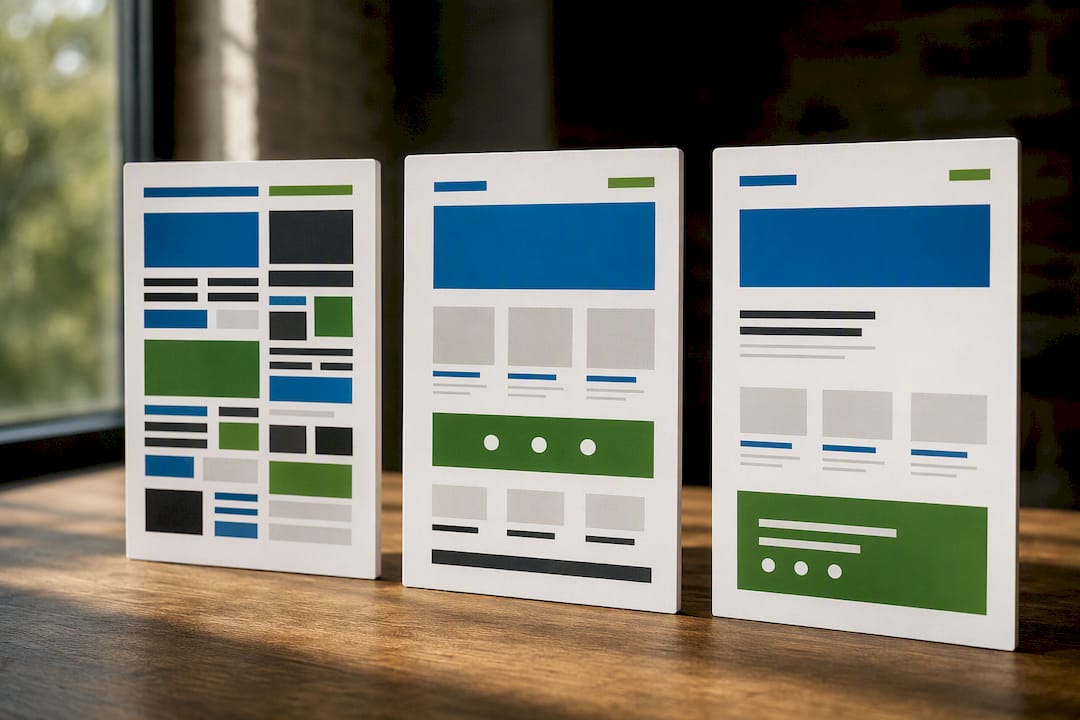
A good rule of thumb: if your site is more than three years old and hasn't been touched since launch, it's probably working against you. Design trends shift fast, and a site that looked sharp in 2022 can look dated fast next to a competitor who redesigned last year.
Watch for these specific signals:
- Stock photos or team pictures that no longer match who actually works there
- Service pages describing offerings you've discontinued or renamed
- Color schemes and fonts that don't match your current logo or signage
- Missing or inconsistent contact information across pages
- No customer reviews, certifications, or other trust markers visible
Not every one of these demands a rebuild. If the bones are solid and the layout still works, updated photos and copy can carry you another year or two.
Pro Tip: Pull up your site next to your three closest competitors on the same screen. If yours looks noticeably older or busier, that's your answer, no further diagnosis needed.
How Do You Test Mobile Speed and Responsiveness?
Run this test right now: open your site on your phone, using cellular data, not Wi-Fi. Try to tap a button, fill out a form, and find your phone number. If any of that feels clumsy, your customers are feeling the same friction, and most of them won't stick around to fight through it.
For a harder number, run your homepage through WebPageTest, a free tool that measures load time, first contentful paint, and where exactly the delay is happening.
- Aim for a fully usable page in under 3 seconds
- Slow-loading sites lose a significant share of visitors before the page even finishes rendering
- If WebPageTest shows the delay is a bloated image or plugin, that's a fix, not a rebuild
- If the delay traces back to your platform or template itself, no amount of tweaking solves it
Every second of added load time chips away at sales. When WebPageTest points to structural platform limits rather than fixable bloat, that's your signal to stop patching and start planning a new build.
Is Your Website Hiding Demand You're Missing?
Type site:yourdomain.com into Google and see how many pages show up. If it's far fewer than you expect, or nothing at all, search engines aren't finding your content, which means neither are customers.
Check Google Search Console for coverage errors, and confirm Google Analytics (GA4) is actually installed and reporting, not just pasted into your code years ago and forgotten.
- Search your business name plus city and note where you land
- Open Search Console and look for "not indexed" or crawl errors
- Verify GA4 is live by checking for real-time visitor data right now
Without page-level analytics, you're guessing at what to fix. Install or verify tracking before committing to any redesign work, so you have a real baseline to measure improvement against once the new site launches.
When Does Your CMS Become the Real Problem?
If updating a single price or paragraph means emailing a developer and waiting a week, your content management system is costing you more than money. It's costing you the ability to respond to your own business in real time.
Watch for these symptoms:
- Simple edits take days because only one person knows how to make them
- Plugin or template updates routinely break the layout
- The platform hasn't been updated in years and shows outdated software warnings
- Backups are inconsistent or nonexistent
A platform that a non-technical staff member can actually use, paired with stable hosting and automatic backups, usually pays for itself the first time you need to fix a typo without a support ticket. When the CMS itself is the bottleneck rather than any one page, replacing the foundation is typically the more economical path over a year or two of workarounds.
Are You Missing Basic Accessibility and Legal Protection?
Run these checks yourself in ten minutes: unplug your mouse and try navigating with just the Tab key. Look at your images and ask whether a screen reader would know what they show. Check whether your videos have captions and whether your text has enough contrast against its background to read comfortably in bright light.
- Tab through your site with no mouse. Can you reach every link and button?
- Check a handful of images for alt text in the page code
- Confirm any video content includes captions
- Test text and background color combinations for contrast
Ada recommends pairing automated scans with human testing, since automated tools alone miss real barriers like keyboard traps or confusing navigation order. The W3C Web Accessibility Initiative makes a similar point: many fixes are simple, but full evaluation takes an actual person clicking through the site.
A large number of web accessibility lawsuits were filed against small businesses in the first half of 2024, according to Forbes. Accessibility isn't a one-time overlay fix. It's an ongoing practice, and legal counsel focused on small business risk advises combining automated tools like AccessWiser with actual human review rather than relying on either alone.
Do Your Pages Actually Tell Visitors What to Do Next?
Open your five most important pages and ask a simple question: what do you want a visitor to do here? If you can't answer instantly, neither can they.
- Every key page should have one clear action: call, book, request a quote, or buy
- Contact information should be visible without scrolling, especially on mobile
- Forms should ask for the minimum needed, nothing more
Before assuming you need a full redesign, test the cheap fixes first. Add a click-to-call button, rewrite a vague button label like "Submit" into something specific like "Get My Free Quote," or cut a five-field form down to three.
Pro Tip: Change one call-to-action button's wording for two weeks and watch what happens to inquiries. Small copy changes often move the needle before you spend a dime on redesign.
If traffic is healthy but leads still aren't coming in, and simple copy and button tests don't move the numbers, the problem is usually structural: confusing navigation, buried contact info, or a layout that never guides anyone toward a decision. That calls for a redesign, not another tweak.
What If Your Site Can't Support What Your Business Needs Now?
Plenty of small business owners built their site years ago for a business that looked different than it does today. Maybe you didn't take online bookings back then. Maybe you didn't need to accept payments, sync with a scheduling tool, or run promotions through email and text at the same time.
If your current platform can't add an online store, can't connect to the CRM you now rely on, or can't support the booking widget your competitors already offer, you're not looking at a design problem. You're looking at a technology ceiling.
Common signs your platform has hit its limit:
- You want to add online ordering, booking, or payments, and your builder simply doesn't support it
- Your team uses spreadsheets or manual workarounds because your website doesn't talk to your other business tools
- You've been told "that's not possible on this platform" more than once by whoever manages your site
- Adding a new service or location means rebuilding pages from scratch instead of duplicating a template
A modern site built on a flexible foundation should grow with you: new service pages, new locations, new integrations, without a developer rebuilding the whole thing each time. If every new idea for your business gets stuck behind "the website can't do that," the website is the bottleneck, not your idea.
An Editor's Take: Fixing Small Business Sites on a Real Budget
Southwind Marketing's approach to a tight-budget rebuild follows a strict order: performance first, accessibility second, conversion third, polish last. Skip that order and you'll spend money making a slow, inaccessible site prettier, which fixes nothing that actually loses you customers.
Most small business redesigns move faster than owners expect, often just a few weeks for a right-sized rebuild, not months. Start with Southwind Marketing's free audit if you want that priority order applied to your own site before spending anything.
— Damien Denmark
Get a Free Audit and a Right-Sized Rebuild, Not a Bloated Contract
You can access a practical alternative to big agencies for a small business budget: a right-sized rebuild with fast turnaround and ongoing support, rather than a six-figure proposal built for a corporate client.
Start with the free 10-minute website and visibility audit. It checks your load speed, flags basic accessibility gaps, surfaces top SEO problems, and looks at whether your calls to action are actually working. From there, Southwind Marketing builds sites sized for what a small business actually needs, no unnecessary complexity, no features you'll never use, and keeps it running through Southwind Guardian℠ for hosting and maintenance so you're not troubleshooting alone six months later. Southwind Marketing works with businesses of every size across Rural America, from Main Street shops to multi-location operations, and has built the kind of rural-ready design practices that generic agencies often miss. If you're ready to stop guessing whether your site is the problem, request your free audit today.
Quick Links for Deeper Checks
- Ada
- W3C WAI: Introduction to Web Accessibility
- WebPageTest
- Southwind Marketing's website audit checklist
- ADA website compliance guide for small businesses
Sources
FAQ
How often should a small business website be updated?
Refresh content and images at least once a year, and plan for a full redesign roughly every three years, since design standards and mobile expectations shift faster than most owners realize.
How much does a website redesign cost in 2026?
Costs vary widely by scope, platform, and features needed, so the most reliable first step is getting a specific quote based on your actual site rather than relying on general industry averages. Southwind Marketing's free audit gives you a clear starting point before you talk pricing.
What is the 1% rule for small business websites?
There's no single agreed-upon "1% rule" for websites specifically. If you've seen it referenced, it likely relates to marketing budget guidelines rather than a fixed web design standard, so treat any version you hear with some skepticism.
Why does every small business need a website?
A significant share of small businesses still operate without one, and survey data shows roughly 28% of small businesses lack a website, missing customers who search online before ever calling or walking in.
What should I do first if my site shows several of these signs?
Start with the free audit, fix the urgent items (speed, mobile usability, missing analytics) first, and treat design polish as the last step, not the first.