
Missed-call text-back is an automatic SMS sent the moment you miss a call, and it keeps a customer from hanging up and dialing your competitor next. For any business or city office that cannot answer every ring, that single automated message is often the difference between a recovered lead and a lost one. If you run a shop, a service business, or a city hall front desk, the first move is simple: check whether your phone system (landline or VoIP) can trigger an SMS on a missed call, or route through a platform like Southwind Connect℠ that handles it for you.
Key Takeaways
Missed-call text-back works because it closes the response gap that costs service businesses and city offices their highest-intent callers before a human ever calls back.
| Point | Details |
|---|---|
| Speed wins the lead | First responders capture a large majority of competitive deals, according to speed-to-lead research. |
| Start with dead zones | Roll out text-back first for after-hours, lunch, weekends, and overflow calls, the windows where most missed calls happen. |
| Templates matter more than tech | A concise, local-sounding message with a scheduling link converts better than a generic auto-reply. |
| Track five KPIs | Watch missed-call rate, reply rate, conversion, time-to-contact, and booking rate to measure real ROI. |
| Southwind Connect℠ bundles it | Southwind Marketing's platform includes missed-call text-back at every tier starting at $97 a month with unlimited seats. |
Table of Contents
- What Missed-Call Text-Back Automation Does and Why Businesses and Cities Are Automating Response
- Why Automating Missed-Call Response Changes the Math
- When Missed-Call Text-Back Delivers the Most Value
- How Missed-Call Text-Back Works Behind the Scenes
- Setting Up Missed-Call Text-Back: A Step-by-Step Checklist
- What to Say: Message Templates That Don't Sound Robotic
- Metrics and ROI: What to Track and What It's Worth
- Consent, Opt-Outs, and Best Practices
- How Southwind Marketing Builds This for Small Towns and Small Businesses
- Getting Missed-Call Text-Back Running With Southwind Connect℠
- Sources
- FAQ
What Missed-Call Text-Back Automation Does and Why Businesses and Cities Are Automating Response
The mechanics are simple enough to explain in one breath. Someone calls, nobody picks up, and within seconds a text goes out: "Sorry we missed you, how can we help?" That's the entire mechanism, but the business logic behind it runs deeper than the technology itself.
Every unanswered call sets off a countdown. The caller either waits for you to call back, hangs up and moves to the next name on their list, or drops the call and forgets about it entirely. A text message interrupts that countdown before it starts. It tells the caller "we saw you" without requiring anyone on your team to stop what they're doing. That's the whole value proposition, and it's why the term shows up constantly in conversations about automated text responses, text response automation, and missed call follow-up across every industry from HVAC to municipal permitting offices.
The standard industry term for this category is "conversational text automation" or "SMS auto-responder," but "missed-call text-back" has become the common shorthand because it describes exactly what happens: you miss a call, the system texts back. Whichever term you use, the mechanics are the same. It's not a chatbot, and it's not a full customer service replacement. It's a triage layer that buys you time.
Why Automating Missed-Call Response Changes the Math
The core argument for automation comes down to speed. Research on speed-to-lead consistently shows that the business that responds first tends to win the sale, with first responders capturing a large majority of competitive deals when multiple businesses are contacted for the same job. That's not a marginal edge. That's most of the business going to whoever replies quickest.
Contacting a lead within the first hour, and ideally within minutes, makes a productive conversation far more likely than waiting until much later, according to research compiled by Fernvay Consulting. A missed-call text-back doesn't wait for your lunch break to end or your crew to finish a roof. It fires the moment the call drops.
Here's what automating that response actually changes for a business or city office:
- Lead recovery: Callers who get an instant text are far less likely to hang up and call a competitor, because their search loop breaks the moment they see your reply.
- Faster contact: Instead of a callback an hour or a day later, the customer gets acknowledged in seconds, even if a human follows up after.
- Higher booking rates: A quick "want to grab a time on our calendar?" text converts warm leads before they cool off.
- Better resident experience: A city office that texts back "we got your call, here's how to reach permitting" builds trust instead of frustration.
- Operational efficiency: Staff stop scrambling to return every call in real time, because the text buys breathing room without losing the lead.
Industry compilations on missed-call economics show a large share of callers never call back at all, and many go straight to a competitor. Futuro's missed-call research frames this as a direct revenue leak, not a minor inconvenience.
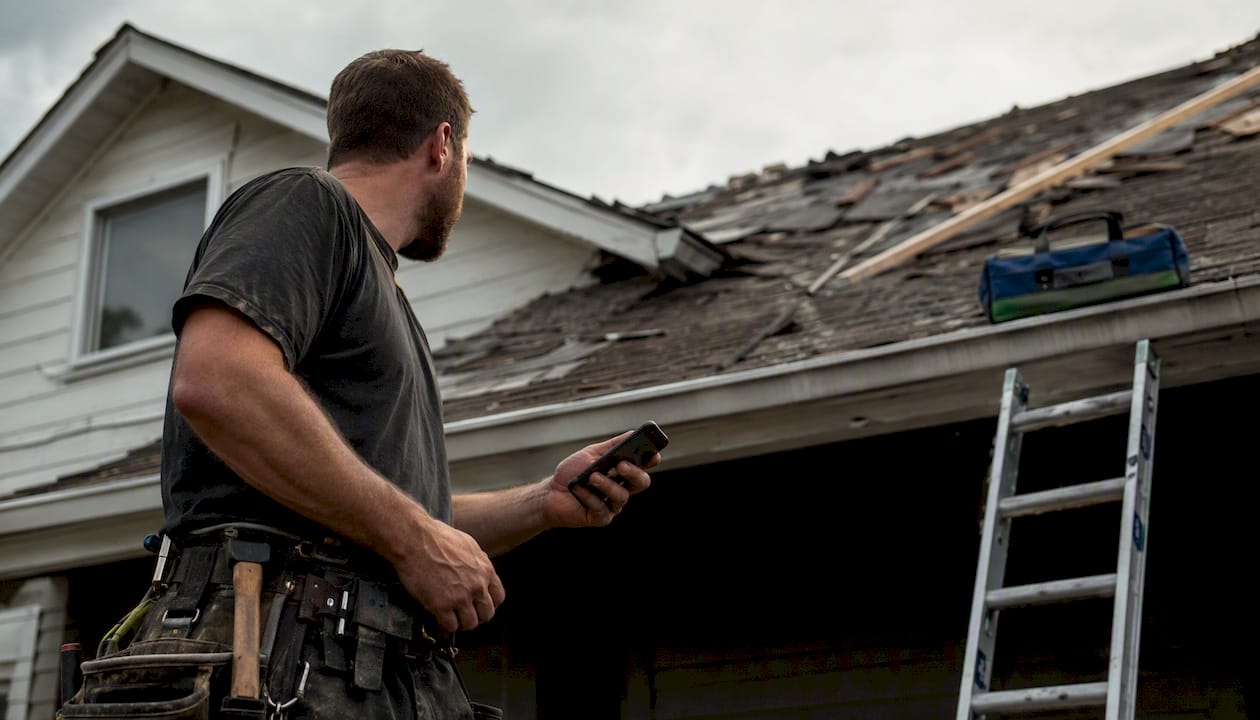
Picture a roofing contractor mid-tear-off on a Tuesday afternoon. His phone buzzes twice while he's forty feet up a ladder. Both calls go to voicemail. Without automation, those callers wait, get impatient, and call the next name on their Google search. With missed-call text-back running, each caller gets an instant "Thanks for calling [Business Name], we're on a job site right now, we'll call you back within the hour, or text us here anytime." Half of them reply immediately with the details of their job. He calls them back that evening with warm leads already qualified.
When Missed-Call Text-Back Delivers the Most Value
Not every missed call carries the same weight, and rolling out automation everywhere at once isn't necessary to see results. Certain windows produce a disproportionate share of missed-call losses, and those are the windows to fix first.
An 18-month audit across service industries identified five recurring "dead zones" where most missed-call revenue leaks happen: lunch hours, after-hours and overnight, call overflow during busy periods, weekends, and repetitive FAQ-style calls that tie up phone lines, according to The 2026 Missed Call Economy report. Those five windows are where automation earns its keep fastest.
High-impact use cases include:
- After-hours and overnight calls, when nobody is staffing the phone but a customer is searching anyway.
- Weekends, especially for home-service businesses where Saturday is often the busiest inquiry day.
- Lunch breaks and shift changes, when a one-person or small-team office genuinely can't pick up.
- Peak booking windows, like Monday mornings for medical offices or storm season for roofers.
- Jobsite and field calls, where a contractor's hands are literally full.
- Public-service lines, like a city hall's permit desk or a utility's outage line during a storm.
If you're deciding where to start, prioritize whichever window generates the most missed calls relative to staff availability. For most contractors, that's daytime job hours. For restaurants and retail, it's peak lunch and dinner rushes. For city offices, it's frequently the lines fielding routine questions, trash pickup schedules, permit status, or utility billing, where a text-back with a link to self-service answers can resolve the call without a human ever picking up.
How Missed-Call Text-Back Works Behind the Scenes
The workflow behind missed-call text-back follows a straightforward sequence, even though the underlying integrations can get technical.
- Trigger fires. A call goes unanswered, hits a busy signal, falls to voicemail, or comes in outside business hours.
- Automated message sends. Within seconds (or with a brief intentional delay, more on that later), an SMS goes to the caller's number.
- Reply routes. If the caller texts back, that message lands in a shared inbox, a CRM ticket, or gets flagged for a specific staff member.
- Human follow-up happens. A team member (or scheduling link) closes the loop, either by calling back or continuing the conversation by text.
Common trigger types include a straightforward no-answer, a busy signal when multiple calls hit at once, after-hours calls outside your posted schedule, IVR fallback when a caller doesn't select a menu option, and missed calls from previously known numbers already in your CRM.
Building this out requires connecting a few pieces:
- Phone system: Landline or VoIP. VoIP systems (like RingCentral-style cloud phone platforms) typically integrate more easily since they already route calls digitally, while traditional landlines often need a call-forwarding or tracking-number layer to trigger the text.
- SMS gateway or provider: The service that actually sends and receives the text messages.
- CRM or helpdesk: Where replies land so nothing falls through the cracks. Southwind Connect℠ handles this natively rather than requiring a separate tool.
- Calendar or scheduling tool: For businesses that want the text-back to include a direct booking link.
- IVR: For higher-call-volume operations that want the text-back tied to specific menu selections rather than a blanket message.
The compatibility gap between landlines and VoIP matters more than most business owners expect. A legacy analog landline generally can't trigger an SMS on its own. It needs a tracking number or a forwarding setup that routes the call through a service capable of detecting the miss and firing the text. VoIP systems, by contrast, often have this capability built in or available as a simple integration, which is one more reason many small businesses and city offices are migrating their phone systems as part of a broader automation upgrade.
Setting Up Missed-Call Text-Back: A Step-by-Step Checklist
Getting this running doesn't require a technical team. It requires an afternoon and a clear checklist.
- Evaluate your current phone system. Confirm whether it's VoIP or landline, and whether it already supports call forwarding or tracking numbers.
- Pick an SMS provider or platform. Decide whether you're building this with separate tools or using a unified platform, like Southwind Connect℠, that bundles the SMS trigger with CRM and mass-notification features.
- Set your triggers. Decide which scenarios fire a text: no-answer, after-hours, busy signal, or all three.
- Write your templates. Draft two or three message variants for your most common call types (general, appointment, service request):
- Route replies somewhere specific. Make sure incoming texts land in an inbox or CRM ticket that someone actually checks, not a dead-end number.
- Test end-to-end. Call your own business number from a personal phone, let it go unanswered, and confirm the text arrives, the reply routes correctly, and the timing feels natural.
- Monitor and adjust. Watch reply rates for the first two weeks and tweak wording if replies are low.
Pro Tip: Test with your own cell phone using a data connection different from your office Wi-Fi. Carrier-to-carrier delivery quirks (Verizon to AT&T, for example) sometimes reveal themselves only under real-world conditions, not office testing.
A minimum-viable version of this can launch in a single afternoon. A small-town hall with one incoming line can set up a text-back that says "Thanks for calling City Hall, our office is currently assisting other residents. For permits, visit [link]. For utility billing, call [number]. Otherwise, we'll return your call by end of day." That's it. No CRM integration required on day one, though adding one later makes tracking follow-through far easier.
What to Say: Message Templates That Don't Sound Robotic
The message itself carries more weight than most people assume. A stiff, obviously automated text feels dismissive. A well-written one feels like good customer service, even though it's software doing the work.
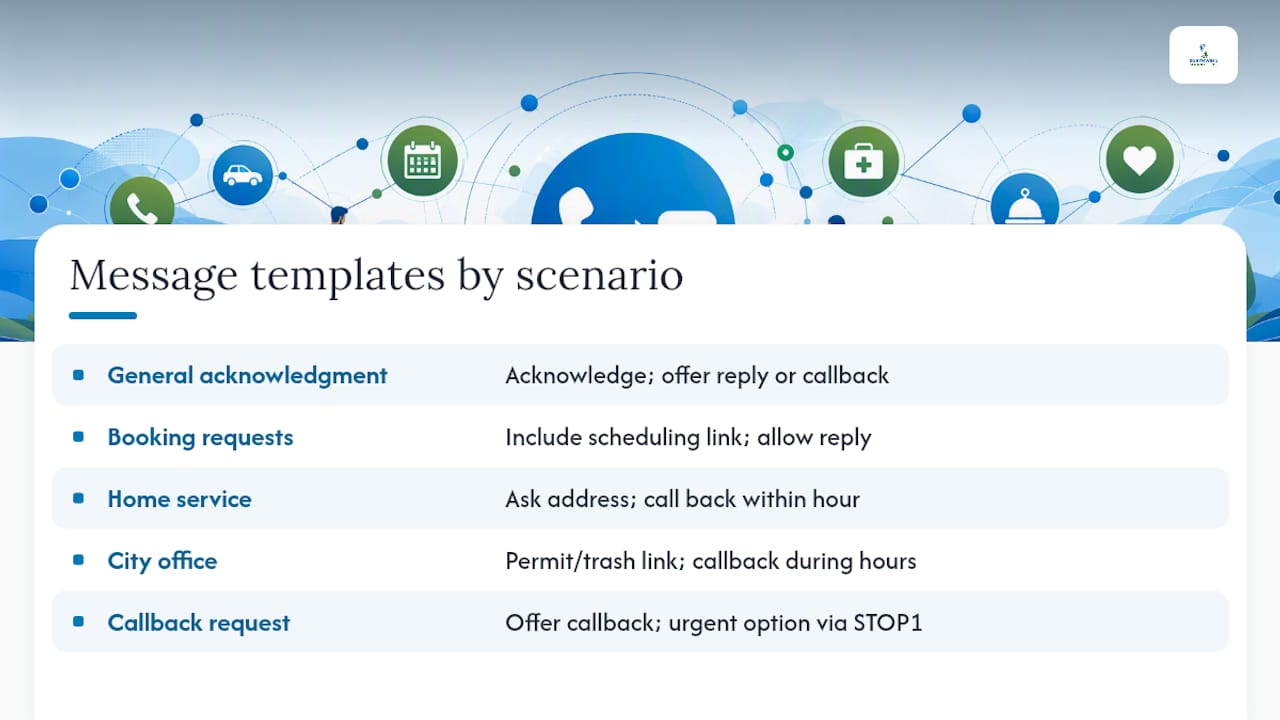
General acknowledgment (any business): "Hi, this is [Business Name]. Sorry we missed your call! We'll get back to you shortly, or reply here and we'll respond faster."
Booking or appointment request (medical office, salon, contractor): "Thanks for calling [Business Name]! Want to grab a time that works for you? Book here: [scheduling link]. Or reply and we'll call you back."
Home-service scheduling (roofer, HVAC, plumber): "Hi, this is [Business Name], sorry we missed you, we're likely on a job site. Text us your address and what's going on, and we'll call you back within the hour."
City office, permit or trash pickup line: "Thanks for calling [City Name] City Hall. For permit status or trash pickup schedules, visit [link]. For anything else, we'll return your call during business hours."
Callback request, generic: "We're sorry we missed you! A team member will call you back shortly. Need something urgent? Reply STOP1 for a priority callback."
Keep the tone concise, local, and human. Avoid corporate phrasing like "your call is important to us," which reads as hollow. Use the business or city name explicitly rather than a generic "we," and include a direct link (scheduling tool, permit portal, service request form) whenever the reply can route someone to self-service instead of waiting on a callback.
Pro Tip: An instant, zero-delay text can feel robotic and gets flagged by some carrier spam filters. A deliberate delay of about 30 seconds before sending often improves reply rates and feels more like a person glancing at their phone than a machine firing on cue.
Metrics and ROI: What to Track and What It's Worth
Missed-call text-back is easy to justify on instinct, but the numbers make the case concrete. Track key performance indicators from day one, including missed-call rate, reply rate to text-back, conversion from reply, time-to-contact, and booking or resolution rate compared to the pre-automation baseline.
A simple test plan works well: pick a two-week baseline period with no text-back running, log missed calls and callbacks manually, then turn automation on for the next two weeks and compare. A basic A/B approach, alternating text-back on and off by week, isolates the impact more cleanly than switching it on permanently from day one.
Here's a conservative example calculation. Say a contractor misses 20 calls a week and historically only reconnects with half of them through manual callbacks. With text-back capturing replies from even a third of the other half, that's three or four additional conversations a week that wouldn't have happened otherwise. At an average job value of a few hundred dollars, even a single additional closed job a month covers the cost of the software many times over.
| Metric | Typical Pre-Automation | Typical Post-Automation |
|---|---|---|
| Missed-call callback rate | Low, manual and inconsistent | Higher, near-immediate acknowledgment |
| Time-to-first-contact | Hours to next business day | Seconds to minutes |
| Caller drop-off (never hear back) | High, based on industry findings | Reduced by immediate contact |
| Lead recovery from missed calls | Minimal | Measurable increase |
These benchmark categories reflect patterns described in industry research on missed-call economics rather than a single fixed figure, since actual results vary by call volume, industry, and message quality.
Consent, Opt-Outs, and Best Practices
Text messaging carries legal and deliverability obligations that shouldn't be an afterthought. This isn't a substitute for legal advice, but a few practical checkpoints will keep most small businesses and city offices on solid ground.
Federal rules under the Telephone Consumer Protection Act (TCPA) govern automated text messaging, and the FCC publishes consumer and business guidance worth reviewing before launch. Generally, sending an automated reply to someone who just called you is treated differently than cold outreach, but ongoing marketing texts to that number require clear consent.
Build your opt-out language into the very first automated message, not buried three texts later. A simple "Reply STOP to opt out" line, honored immediately and automatically, is the single easiest way to stay compliant and avoid carrier penalties.
Key practices to follow:
- Include an opt-out in your first message and every marketing follow-up, then process STOP requests immediately.
- Route replies to a monitored inbox, not a black hole, and keep logs of consent and message history.
- Handle personal information carefully. Don't ask for sensitive details (medical, financial) over unencrypted SMS.
- Pace your sends. Carriers flag rapid-fire, identical messages as spam; vary templates slightly and avoid all-caps or excessive links.
- Test across carriers. A message that delivers cleanly on Verizon may get filtered differently on T-Mobile.
How Southwind Marketing Builds This for Small Towns and Small Businesses
Southwind Marketing implements missed-call text-back through Southwind Connect℠, our CRM and mass-notification platform built for the realities of small business and small-city operations. Rather than stitching together a separate SMS provider, a separate CRM, and a separate calendar tool, Southwind Connect℠ handles the trigger, the message, and the reply routing in one place, and it connects to Southwind Cloud℠ for teams that need Microsoft 365 and IT support alongside their communications stack. For clients also running SEO and content work through Southwind Signal℠, missed-call recovery becomes one more channel feeding the same lead pipeline instead of a disconnected side project.
We've applied this same automation logic to municipal mass alert and resident notification systems for rural cities and utilities, where a missed call to a utility billing line or a city hall front desk carries the same lost-trust risk as a missed call to a contractor. A small Main Street hardware store and a two-person city clerk's office face the identical problem: not enough hands to answer every call, and no budget for a full-time receptionist just to catch the overflow.
Southwind Connect℠ includes missed-call text-back at every tier, starting at $97 a month with unlimited seats, so a five-person shop and a fifteen-person city staff pay the same base rate without per-user penalties. Integration points typically include:
- Southwind Connect℠: the core CRM and mass-notification engine handling triggers, replies, and ticket routing.
- Southwind Signal℠: SEO and content automation, feeding the same lead pipeline that text-back protects.
- Southwind Guardian℠: managed hosting, keeping the website and any linked scheduling pages reliably online.
- Third-party connections: existing phone systems (VoIP or forwarded landlines), calendar tools, and payment or scheduling platforms already in use.
A Rural Perspective on What Actually Moves the Needle
I've watched too many small-town businesses and city offices treat a missed call as an unavoidable cost of doing business, something you apologize for rather than something you fix. That mindset is backwards. A ringing phone that nobody answers isn't a staffing problem; it's a revenue channel sitting idle. Treating it that way changes how you prioritize the fix.
Rural communities face this more acutely than urban ones, not less. A city with one clerk covering permits, utilities, and public records genuinely cannot staff a call center. A contractor running a two-truck operation in a county with forty-five minutes between towns can't afford to lose a job because he was on a roof when the phone rang. The businesses and offices that get this right aren't the ones with more staff. They're the ones who stopped treating the phone as something only a human can manage.
That's the piece the conventional advice misses: automation here isn't about replacing people, it's about giving small teams the same speed-to-lead advantage that a large call center already has built in.
Getting Missed-Call Text-Back Running With Southwind Connect℠
If you've read this far, you already know the fix costs less effort than the problem it solves. Southwind Connect℠ is the fastest path to missed-call text-back for a rural small business or a small-city office that doesn't have an IT department to build integrations from scratch.
Setup takes an afternoon, not a procurement process. Southwind Connect℠ bundles the CRM, the mass-notification system, and the missed-call text-back trigger into one platform, with support from a team that already understands rural phone systems, seasonal call spikes, and the reality of running a small office with limited staff. Every tier includes unlimited seats, so adding your whole crew or your entire city staff never triggers a per-user price jump, and pricing starts at $97 a month. That's less than most businesses lose to a single missed job in a busy month.
Whether you're a contractor tired of losing leads mid-job or a city office looking to stop frustrating residents with unanswered lines, the services Southwind Marketing offers for rural communities are built around exactly this kind of practical automation. Request a free 10-minute website and visibility audit to see where your current setup is leaking calls, and we'll walk you through what missed-call text-back would look like for your specific operation.
Sources
- Speed-to-Lead: Why First Responders Win 78% of Customers
- What Is Speed to Lead and Why Does It Matter for Small Businesses? - Fernvay Consulting, LLC
- The True Cost of a Missed Call: 2026 Statistics
- The 2026 Missed Call Economy
FAQ
How Do I Set Up Missed-Call Text-Back Automation?
Confirm your phone system supports call forwarding or SMS triggers, choose a platform like Southwind Connect℠ that handles the trigger and CRM routing together, write your message templates, and test the full flow before going live.
Why Am I Getting Text Messages About a Missed Call?
A business or city office you called likely has automated text-back enabled, sending an instant acknowledgment because no one could answer the phone right away.
How Do I Respond to a Missed Call by Text Professionally?
Keep it short, name your business or office, apologize briefly, and give the caller a next step, either a callback window, a scheduling link, or a direct answer to a common question.
How Do I Set Up an Auto-Reply for Phone Calls?
Most VoIP systems and platforms like Southwind Connect℠ let you configure auto-reply triggers directly in account settings, tied to no-answer, busy, or after-hours conditions, without needing a developer.
Is Missed-Call Text-Back Legal for My Business?
Generally, yes, when it's a direct reply to an inbound call rather than unsolicited marketing, but you should still include opt-out language and review FCC guidance on the TCPA for your specific use case.