
The fastest way to write Google Ads that convert for contractors is to match tightly themed ad copy to search intent, send every click to a single-purpose landing page, and track booked jobs rather than clicks or form fills. Build ad groups around one service and one intent each, lead headlines with availability, price transparency, or warranty terms, and start capturing offline conversions so Google's bidding system learns which leads actually turn into paid invoices.
TL;DR:
- Using tightly themed ad groups aligned with specific searcher intents increases relevance and conversion rates while lowering wasted spend.
- Exact and phrase match keywords should be prioritized for high-value terms, with broad match only used after building strong negative keyword lists and tracking.
- Booking actual jobs and revenue, not just clicks or form fills, must drive bidding strategies and performance evaluation through comprehensive conversion tracking.
- Creating specific landing pages for each service and ensuring mobile-friendly design significantly improves lead-to-booked-job conversion rates.
- Implementing a consistent testing cadence, focusing on cost per booked job and integrating CRM with call and offline conversion tracking, maximizes ROI.
Table of Contents
- Campaign and Ad-Group Structure for Contractor Google Ads That Convert
- Keyword Selection and Negative Keywords That Protect Your Ad Spend
- Writing Ad Copy That Converts: Headlines, Descriptions, and CTAs for Contractors
- Ad Extensions and Assets That Build Trust Before the Click
- Landing Pages and the Mobile Call Experience That Turn Clicks Into Booked Jobs
- The Conversion-Tracking Stack Contractors Need to Measure What Actually Matters
- A Simple Testing and Review Cadence for Contractor Ad Accounts
- One-Hour Contractor Checklist
- How Reviews and Social Proof Strengthen Contractor Ad Copy
- Connecting Google Ads Leads to Your CRM for Faster Follow-Up
- Why Booked Jobs, Not Clicks, Should Drive Every Decision You Make
- Let Southwind Marketing Build the Ad Account That Tracks What You Actually Sell
- Sources
- FAQ
Campaign and Ad-Group Structure for Contractor Google Ads That Convert
Most contractor accounts fail before a single ad ever runs, and the failure is structural. Cramming "plumber," "emergency plumber," "drain cleaning," and "water heater installation" into one ad group forces you to write generic copy that speaks to none of those searches well. Google's own guidance on increasing website traffic and leads is built around message match, and message match starts at the ad-group level, not the ad level.
One theme, one ad group. That's the whole rule. Each group should hold a tight cluster of keywords that share the same searcher intent, so every headline and description can speak directly to that intent instead of hedging across five different jobs.
A workable starting structure for a home-service contractor looks like this:
- Emergency campaign: ad groups split by "24 hour," "same day," and "urgent" variations for each core service (emergency plumber, emergency HVAC repair).
- Repair/maintenance campaign: ad groups for routine service calls, tune-ups, and inspections, where price sensitivity is higher and urgency is lower.
- Install/replacement campaign: ad groups for big-ticket jobs, water heater installation, roof replacement, HVAC system replacement, where the buyer is comparing quotes.
- Pricing/estimate campaign: ad groups built around "cost," "estimate," and "quote" modifiers, which tend to have their own conversion behavior and deserve their own bids.
Map each ad group to its own landing page, not your homepage and not a generic services page. A searcher typing "water heater replacement cost" who lands on a page about roof repair will bounce, no matter how good the headline was that got them there.
Bidding should follow intent, too. Emergency and install campaigns usually justify higher cost-per-click bids because the jobs are worth more and the searcher is closer to hiring. Maintenance and informational-leaning terms can run on a lower bid ceiling since they convert less often and carry smaller ticket sizes. If budgets are tight, Google's own guidance on stretching ad spend recommends concentrating budget on your highest-intent campaigns first and letting lower-intent ones run lean until you have data to justify more spend.
Pro Tip: Name your ad groups by intent, not by keyword list ("HVAC_Emergency_Repair," not "AdGroup3"). It sounds trivial, but it keeps your account auditable six months from now, when someone else has to make sense of it.
Keyword Selection and Negative Keywords That Protect Your Ad Spend
Match type decisions make or break contractor budgets faster than almost any other setting in the account. Broad match sounds efficient because it captures more searches, but for a business paying $150 to $400 per click on install-level keywords, broad match without a strong negative list is how budgets disappear by the tenth of the month.
Here's the practical approach:
- Use exact and phrase match for revenue-driving terms. "Emergency plumber near me," "roof replacement cost," "HVAC installation quote." These are the searches that pay your bills, and you want tight control over exactly what triggers your ad.
- Use broad match, carefully, for discovery. Broad match combined with strong negatives and Smart Bidding can surface search terms you hadn't thought of, but only run it once you have a mature negative keyword list and a tracking setup solid enough to judge results.
- Switch match types based on data, not instinct. If a phrase-match keyword consistently pulls in the same three or four search terms with no variation, tighten it to exact match and let broad match handle exploration elsewhere in the account.
- Pull the Search Terms report weekly, not monthly. This single report is where you catch the searches actually triggering your ads. A guide from Search Engine Journal on PPC best practices points to consistent search-term review as one of the most reliable levers for improving return on ad spend, and for contractors it's often the difference between a profitable account and a break-even one.
- Build your negative list in categories, not one-offs. Every contractor account should exclude these categories from day one:
- Job-seeking terms ("plumber jobs," "HVAC technician hiring," "roofer salary")
- DIY terms ("how to fix," "DIY," "replace yourself")
- Bargain-hunting terms ("cheap," "free," "discount code")
- Parts and supply searches ("water heater parts," "furnace filter")
- Hiring and subcontracting searches ("hire a plumber for my business," "subcontractor wanted")
For volume estimates and to see how competitive your core terms are before you commit budget, Google Ads Keyword Planner remains the most reliable free starting point, especially for smaller accounts that don't yet have enough click history to trust their own Search Terms data.
Writing Ad Copy That Converts: Headlines, Descriptions, and CTAs for Contractors
Contractor searches are almost always transactional. Nobody types "emergency plumber near me" to browse. That urgency is a gift, and most contractor ads waste it by leading with the company name instead of the outcome the searcher is actually looking for.
Headlines convert better when they front-load the thing the searcher cares about most right now, which changes by intent:
- Emergency intent: "24/7 Emergency Plumbing," "Same-Day Repair Available," "Live Tech On-Call Now"
- Estimate intent: "Free On-Site Estimate," "No-Obligation Quote in 24 Hours," "Transparent Flat-Rate Pricing"
- Install intent: "Licensed HVAC Installers," "10-Year Warranty Included," "Financing Available on Installs"
- Maintenance intent: "Seasonal Tune-Up Special," "Skip the Wait List," "Locally Owned Since [Year]"
Description lines carry the second job: back up the headline's promise with a credential or a fast piece of proof, then close with one clear call to action. Don't stack three CTAs in one ad. "Call now, request a quote, or book online" forces the reader to choose, and a reader who has to choose often does nothing.
A description that works for an emergency plumbing ad group might read: "Licensed, bonded, and insured. Average response time under 60 minutes. Call now for immediate dispatch." That's a credential, a proof point, and a single CTA, in three short sentences.
A version for an install-focused ad group might read: "Factory-certified installers backed by a 10-year warranty. Get your free written quote today." Same structure, different priority, matched to a buyer who's comparing options rather than facing a burst pipe.
A few things to avoid:
- Don't lead with your company name in the headline. Nobody is searching for you by name unless you're already well known locally, and you're wasting your best character count.
- Don't write vague benefit language like "quality service you can trust." It says nothing a competitor couldn't also claim.
- Don't skip the phone number or CTA in at least two of your headlines, since Responsive Search Ads mix and match headline combinations and you want the CTA present regardless of which combination shows.
- Don't ignore local language. "Serving [Region]" or naming specific towns in your service area builds instant relevance, especially in markets where national franchise competitors run generic copy that doesn't mention any specific place.
Pro Tip: Write like the person answering your phones talks, not like a brochure. Contractors who write copy in plain trade language ("burst pipe," "no heat," "won't start") consistently outperform copy stuffed with marketing terms like "premier solutions" or "trusted partner," because that's the language the searcher actually typed.
Ad Extensions and Assets That Build Trust Before the Click
Google now calls these "assets," and for contractors they matter more than most industries because trust is the entire sale before the first phone call happens. A homeowner staring at a cracked foundation or a dead furnace is looking for reasons to believe you before they dial, and assets are where you plant those reasons.
The assets worth prioritizing:
- Sitelinks pointing to individual service pages and your quote-request form, never your homepage. "Emergency Repair," "Free Estimate," "Financing Options," and "Our Reviews" each earns its own sitelink.
- Callouts that state credentials plainly: "Licensed & Insured," "Free Estimates," "Family Owned Since [Year]," "BBB Accredited."
- Structured snippets listing your services ("Types: Roofing, Gutters, Siding, Insulation") so Google can show category breadth without you spending headline space on it.
- Call extensions, set to show your tracking number and scheduled for your actual business hours, with mobile bid adjustments enabled so the call button displays prominently on phone screens.
Assets aren't just trust signals. They factor directly into Ad Rank, meaning a well-built asset set can lower what you pay per click while improving your position. An ad with four sitelinks and three callouts simply takes up more space on the results page than a bare headline and description, and that visual dominance alone changes click behavior.
For mobile searchers specifically, the call extension deserves extra attention. A huge share of emergency contractor searches happen on a phone, mid-crisis, and a prominent tap-to-call button removes the friction of copying a number or filling out a form under stress.
Landing Pages and the Mobile Call Experience That Turn Clicks Into Booked Jobs
An ad can do everything right and still lose the job at the landing page. This is where most contractor budgets quietly leak, because the page a click lands on gets treated as an afterthought while the ad copy gets all the attention.
Build one landing page per service, not one page for your whole business. A page selling emergency plumbing repair should talk about emergency plumbing repair, show a phone number at the top, and stop there. No navigation menu pulling attention toward six other services. No blog links. One job: get the visitor to call or submit the form.
Mobile design isn't optional here; it's the default case. Most contractor searches happen on a phone, often from someone standing in a flooded basement or a driveway looking at a dead car. The click-to-call button needs to sit above the fold, be large enough to tap without precision, and stay visible as the visitor scrolls.
Trust elements belong on every service page, not buried in an "About Us" tab:
- License number and insurance status stated plainly, not just implied
- A handful of real reviews, ideally pulled from a verified source like your Google Business Profile
- Two or three project photos specific to that service, not stock imagery
- A short, specific next step ("Call now for same-day scheduling" beats "Contact us")
If your listing itself isn't fully built out, ad clicks are working overtime to compensate for a weak first impression elsewhere. A properly optimized Google Business Profile reinforces the same credentials your ad just promised, and mismatched information between your ad, your listing, and your landing page is one of the fastest ways to lose a hesitant searcher's trust.
Once the page is live, test in small, deliberate moves:
- Swap the headline between urgency framing ("Same-Day Service Available") and authority framing ("Licensed & Insured Since [Year]") and watch which converts more calls.
- Move the phone number's position, top-fixed versus embedded in a hero section, and measure the click-to-call rate difference.
- Test a single strong CTA button against a form with more than three fields; shorter forms almost always outperform longer ones for high-urgency services.
An eight-point website audit checklist is a useful gut check before you send paid traffic to any page, since fixing structural issues on the page multiplies the value of every dollar you're already spending on clicks.
The Conversion-Tracking Stack Contractors Need to Measure What Actually Matters
Here's the uncomfortable truth about contractor marketing: form fills are a weak proxy for revenue. A homeowner submitting a contact form for a $12,000 roof replacement and a homeowner submitting the same form for a $150 drain snake look identical in your Google Ads dashboard unless you build a tracking stack that tells the difference.
That gap is exactly what a proper contractor conversion tracking stack is built to close, layering three tracking methods so Google's bidding algorithms see actual business outcomes instead of raw click counts.
Layer one: call tracking. Google forwarding numbers, generated automatically inside Google Ads, tell you that a call happened and roughly how long it lasted. That's useful, but limited. Third-party call tracking platforms like CallRail go further, recording calls, tagging them by keyword and campaign, and letting you or your team manually mark which calls turned into booked jobs versus wrong numbers or spam. For a high-ticket contractor, that manual qualification step is the difference between optimizing toward "calls" and optimizing toward "calls that turned into signed work."
Layer two: enhanced conversions. Enhanced conversions for leads work by sending hashed customer email and phone data back to Google alongside your conversion event, which improves match rates when a click-based identifier alone would undercount conversions. For contractors whose customers often call from a different device than the one they searched on, this closes a measurement gap that's easy to miss and expensive to ignore.
Layer three: offline conversion imports. This is the piece most contractor accounts skip entirely, and it's the one with the biggest payoff. Offline conversion import, often shortened to OCI, lets you upload the actual booked-job value back into Google Ads once a lead closes, tied to the Google Click Identifier (GCLID) captured at the time of the original click. Feeding real revenue back into the platform lets Smart Bidding optimize toward jobs that actually close and pay, not just leads that filled out a form and went nowhere.
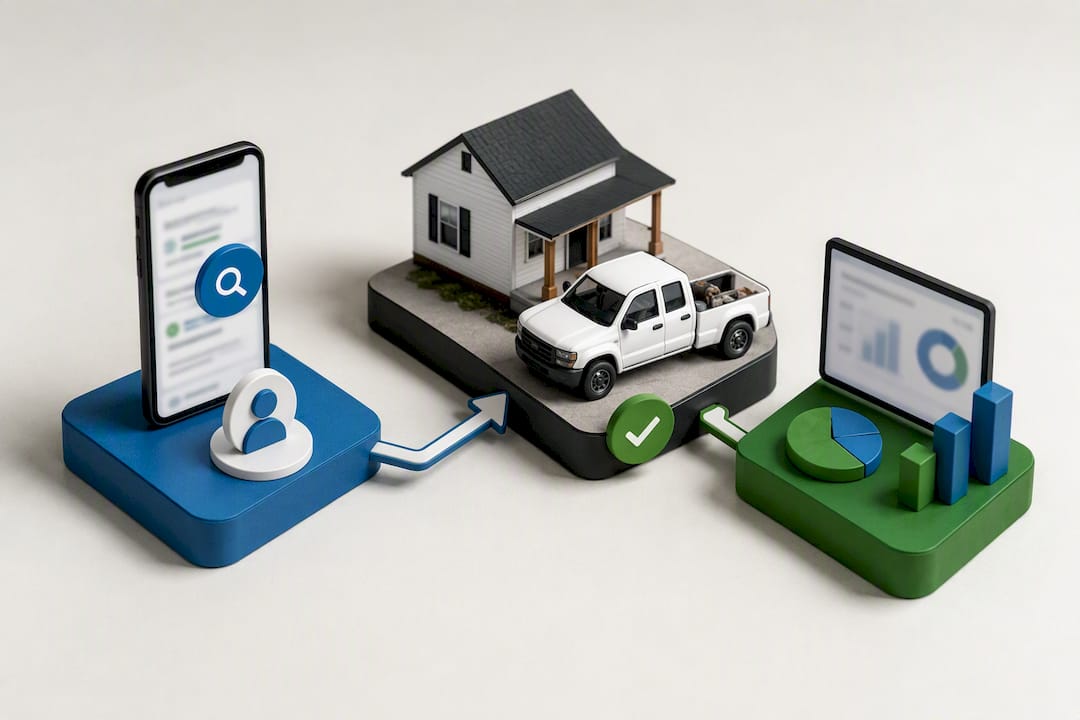
The payoff compounds over time. Once enough offline conversion data flows in, contractors can shift from a simple conversion-count goal to a maximize-conversion-value bidding strategy, which pushes budget toward the keywords and audiences that produce your highest-ticket jobs, not just your highest volume of leads.
Search advertising overall remains a channel worth this investment. Statista's search-advertising market outlook shows continued global spending growth in the channel, which tells you the competition for contractor keywords isn't going away, and clean tracking is how you stay profitable inside that competition rather than getting outbid by someone burning cash blindly.
Common pitfalls that break this stack before it ever produces useful data:
- Forgetting to capture and store the GCLID at the moment of the original click, which makes offline conversion import impossible later
- Marking every phone call as a conversion instead of qualifying which ones led to actual booked jobs
- Running enhanced conversions without confirming email and phone fields are actually collected on the lead form
- Never reviewing the asset report to see which headline and description combinations are actually driving the tracked conversions
A Simple Testing and Review Cadence for Contractor Ad Accounts
Contractors don't need an elaborate testing framework. They need a habit. A lightweight cadence, run consistently, beats an ambitious testing plan that gets abandoned after the first busy week.
- Run at least three headline variations per ad group at all times, and let Responsive Search Ads rotate combinations rather than manually picking one "best" version too early.
- Review the asset report every four to six weeks, checking which headlines and descriptions are earning "Best" or "Good" performance labels, and pause or replace anything stuck at "Low" for the full review window.
- Track cost per booked job, not just cost per lead or cost per click. A campaign with a higher cost per click but a lower cost per booked job is the one worth funding further.
- Test one clear variable at a time, urgency framing against authority framing, a price-forward headline against a warranty-forward headline, a hyper-local reference against a service-first headline, so you know exactly what caused the shift in performance.
Pro Tip: Once a headline consistently earns "Best" performance across two full review cycles, don't just leave it running. Build a fresh variation around the same winning angle and test it against the champion. Winners plateau, and the account that keeps testing against its own best performer stays ahead of the account that gets comfortable.
One-Hour Contractor Checklist
If you've got one hour and a Google Ads account that needs work, here's the order of operations: split your loosest ad group into themed groups by service and intent, write three new headlines using the outcome-first formulas above, pull last week's Search Terms report and add five negative keywords, confirm your call extension is set to your tracking number, and check that your top landing page has a visible phone number above the fold.
That's the whole list. It won't fix everything, but it fixes the four things most likely to be actively wasting money right now.
This checklist was developed based on experience working with contractors across rural and small-town markets, where every ad dollar must work harder due to lower search volume. This section was developed drawing on paid media and landing-page work with home-service and construction clients nationwide.
How Reviews and Social Proof Strengthen Contractor Ad Copy
Reviews solve a problem headlines can't solve alone: they give a stranger a reason to believe you before they've spoken to you. Contractor work is high trust by nature, someone is letting you into their home or handing you a five-figure project, and a callout or structured snippet stating "500+ 5-Star Reviews" does more to lower hesitation than another line about your service area.
Use review counts and star ratings in callout assets when your numbers are genuinely strong, since callouts have the visual weight to carry a specific claim without eating headline space. "Rated 4.9 on Google" reads as a fact, not a boast, when it's true and verifiable.
On landing pages, pull two or three specific, verified reviews rather than a generic testimonial carousel. A review that names the actual job ("replaced our water heater same day after it burst overnight") does more work than a vague five-star rating with no context, because it mirrors exactly the situation the current searcher is probably in.
Keep review sourcing honest and traceable. Pull directly from your Google Business Profile or a verified review platform rather than writing composite quotes, and make sure the review count you advertise matches what a visitor sees when they click through to check. A mismatch there erodes the exact trust you're trying to build.
Connecting Google Ads Leads to Your CRM for Faster Follow-Up
A lead that sits in an inbox for six hours is a lead a competitor already called back. Contractor jobs, especially emergency and estimate-intent leads, get won or lost in the first response window, and that window is measured in minutes, not hours.
Routing Google Ads leads directly into a CRM closes that gap. When a form submission or tracked call triggers an instant notification to the right team member, and that lead's source, keyword, and campaign data travel with it into the CRM record, you get two things at once: faster follow-up and a clear record of which campaigns are actually producing paying customers.
This is also where the offline conversion loop closes. A CRM that tracks a lead from first contact through signed contract to paid invoice gives you the exact revenue figure you need to upload back into Google Ads as an offline conversion, which is the fuel that makes value-based bidding work. Without that connection, you're stuck manually cross-referencing spreadsheets, and manual processes are the first thing that gets skipped during a busy season, which is exactly when tracking accuracy matters most.
A CRM platform like Southwind Connect℠ handles this kind of lead routing, automated follow-up, and multichannel communication (SMS and email) so a tracked Google Ads lead doesn't just sit waiting for someone to notice it.
Why Booked Jobs, Not Clicks, Should Drive Every Decision You Make
Contractors get pulled toward vanity metrics constantly, impressions, click-through rate, position on the page, because those numbers are easy to see and easy to brag about. None of them pay the crew on Friday. Booked jobs do.
The account that wins isn't the one with the flashiest headlines or the highest average position. It's the one where someone took the time to connect a phone call to a signed contract and fed that number back into the platform. Most contractors skip that step because it feels like extra work for a marketing task, but it's really an accounting task disguised as a marketing task, and treating it that way changes how seriously it gets done.
Chasing rank #1 without tracking is guessing with better fonts. Chasing booked-job data, even imperfectly at first, is how the guessing stops.
— Damien Denmark
Let Southwind Marketing Build the Ad Account That Tracks What You Actually Sell
Most contractors don't need more clicks. They need clicks that get tracked all the way to a signed job, which is exactly where generic agency retainers and DIY ad management both tend to break down, since neither one is built to connect call tracking, landing pages, and CRM data into a single loop. Southwind Marketing builds that loop for contractors in small-town and rural markets specifically, combining paid media management with landing-page builds and CRM setup through Southwind Connect℠, so the leads your ads generate land somewhere that actually tracks them to a booked job.
That connected approach means your ad spend, your landing pages, and your lead follow-up all run through the same system instead of three disconnected tools that never talk to each other. Southwind Connect offers multiple plans starting at a lower price point, scaling up depending on automation and CRM complexity needs, with a one-time setup fee that varies by plan.
If your ad account is generating clicks but you can't say which ones turned into paid jobs, that's the exact gap worth closing first. Consider reaching out to a marketing partner to discuss paid media and tracking setups designed for how contractors close business effectively.
Sources
Start with Google's own resources on driving website traffic and leads for platform-level setup guidance, and use Google Ads Keyword Planner for keyword volume research before you commit budget to any new ad group.
For tracking specifics, the contractor conversion tracking breakdown from PipelineON covers offline conversion imports and enhanced conversions in more technical depth than most general PPC guides attempt. For broader PPC fundamentals, including match types and bidding strategy, Search Engine Journal's PPC guide is a solid reference to keep bookmarked. To speed up headline and description testing, a tool like the Google Ads generator for Responsive Search Ads can help produce variations faster than writing each one from scratch.
- Increase website traffic & leads — Google Ads
- Effective Google Ads conversion tracking for contractors — PipelineON
FAQ
Do Google Ads Work for Contractors?
Yes, when the account is built around themed ad groups matched to search intent and paired with single-purpose landing pages and real conversion tracking. Contractors who skip tracking often conclude Google Ads "doesn't work" when the real issue is that they can't see which leads actually turned into paid jobs.
Is $500 a Month Enough for Google Ads for Contractors?
It can work in smaller or less competitive markets if you concentrate that budget on one or two high-intent campaigns rather than spreading it thin across every service you offer. In competitive metro markets with high cost-per-click on install or emergency keywords, $500 may only generate a handful of clicks, so narrowing focus to your highest-value service first matters more than the total budget size.
How Do I Set Up a Conversion in Google Ads?
Create a conversion action in your Google Ads account for each outcome you want to track (calls, form fills, booked jobs), then add the enhanced conversions data fields and, for high-ticket contractor work, set up offline conversion import so you can upload actual job values once leads close. The contractor conversion tracking guide from PipelineON walks through the technical setup for each layer.
How Much Does Google Ads Cost per 1,000 Impressions?
Cost is driven by cost per click and your daily budget, not a flat cost-per-impression rate, and contractor keywords vary widely by service and market competitiveness. Focus budget decisions on cost per booked job instead of impression cost, since a campaign with expensive clicks but a low cost per booked job is still the better investment.
What's the Difference Between Google Forwarding Numbers and Third-Party Call Tracking?
Google forwarding numbers, built into Google Ads, tell you a call happened and its duration at no added cost. Third-party platforms like CallRail add call recording, keyword-level attribution, and the ability to manually tag which calls became booked jobs, which matters for feeding accurate data into offline conversion imports.
Can Southwind Marketing Manage My Contractor Google Ads Account?
Southwind Marketing manages paid media, landing-page builds, and CRM integration for contractors, with current service details and plan pricing listed on the Southwind Connect℠ page.