
TL;DR:
- Public entities must meet WCAG 2.1 Level AA standards by specific deadlines, while private businesses face ongoing litigation risks. Building accessible websites from the start is generally less costly and more effective than retrofitting, with contracts requiring clear WCAG compliance language. Regular audits, manual testing, and vendor contract provisions are essential for maintaining ADA compliance and serving inclusive communities.
Yes, your website needs to be accessible. Public entities covered by Title II of the ADA must meet WCAG 2.1 Level AA by DOJ-published deadlines, and private businesses face real, ongoing litigation exposure under Title III. The technical standard is the same in both cases: WCAG 2.1 Level AA, published by the W3C. Start here:
- Run a quick automated scan using a free tool like WAVE or axe to identify obvious barriers on your most-visited pages.
- Identify your highest-impact fixes first: missing alt text, unlabeled forms, and inaccessible PDFs affect the most users and are often the easiest to address.
- Review your vendor contracts to confirm your web developer or platform provider is contractually required to deliver accessible code.
This article is practical guidance, not legal advice. Consult qualified legal counsel for your specific situation. Public entities should note that DOJ compliance deadlines are firm and approaching.
Table of Contents
- What does the ADA actually require for websites?
- WCAG 2.1 Level AA: what does the standard actually require?
- What common accessibility barriers should you look for?
- How do you make your site meet WCAG 2.1 Level AA?
- How do you audit your site's accessibility?
- What does remediation cost, and is it cheaper to build right the first time?
- How do you require accessibility in vendor contracts and RFPs?
- What should you do if you receive a demand letter or lawsuit?
- Where can you find templates, checklists, and authoritative resources?
- How Southwind Marketing builds accessible WordPress sites for towns, chambers, and small businesses
- Key Takeaways
- Why accessibility in rural America is worth getting right
- Southwind Marketing builds accessible websites for rural communities
- Useful sources and recommended tools
- FAQ
What does the ADA actually require for websites?
The ADA does not contain a single sentence that says "websites must be accessible." What it does say is that public entities cannot exclude people with disabilities from their services, programs, or activities, and that businesses open to the public must provide equal access. Courts and the DOJ have consistently applied both Title II and Title III to websites and mobile apps.
Title II: state and local governments
Title II covers every state and local government entity, including cities, counties, townships, school districts, water districts, and special districts. If your organization is a government entity, Title II applies to your website and mobile apps. The DOJ's 2024 final rule made this explicit by adopting WCAG 2.1 Level AA as the enforceable technical standard. A 2026 Interim Final Rule then extended the compliance dates by one year.
Compliance deadlines for public entities depend on their population size and entity type, with larger governments required to comply earlier than smaller and special district governments, as per DOJ guidelines.
Which deadline applies to you? Use your parent entity's 2020 Census population if your department or district does not have a standalone count. Many special districts and downtown development authorities default to the 2028 deadline when no population is directly assigned to them.
Deadline callout: The DOJ extended both compliance dates by one year via an Interim Final Rule published April 20, 2026. Larger entities (50,000+) now have until April 26, 2027. Smaller entities and special districts have until April 26, 2028.
Title III: businesses open to the public
Title III covers private businesses that serve the public, including retail shops, restaurants, hotels, professional service firms, and most organizations a customer walks into or contacts for services. There is no single website deadline for Title III the way there is for Title II. Instead, DOJ guidance makes clear that courts treat inaccessible websites as potential violations of the equal-access requirement, creating ongoing litigation risk right now. Businesses with a physical location face a clearer legal nexus to Title III and, according to legal practitioners, greater exposure than purely online-only firms.
Chamber directories, Main Street program websites, and downtown business listings that serve the public can fall under Title III. If your organization is a nonprofit that functions as a public accommodation, consult counsel about your specific classification.
WCAG 2.1 Level AA: what does the standard actually require?
WCAG stands for Web Content Accessibility Guidelines, published by the World Wide Web Consortium (W3C). Level AA is the middle conformance tier, sitting above the baseline Level A and below the more demanding Level AAA. The DOJ adopted WCAG 2.1 Level AA as the enforceable standard for Title II, and it is the widely accepted benchmark for Title III compliance as well.
The standard is organized around four core principles, often called POUR:
- Perceivable: Users must be able to perceive all content. Images need text alternatives; videos need captions; audio needs transcripts.
- Operable: All functionality must work without a mouse. Keyboard navigation, skip links, and sufficient time to complete tasks are required.
- Understandable: Content and interfaces must be clear. Forms must have visible labels, error messages must be descriptive, and reading level should be appropriate.
- Robust: Content must work across browsers, devices, and assistive technologies like screen readers and voice control software.
Representative success criteria at Level AA include a minimum color contrast ratio of 4.5:1 for normal text, captions for all pre-recorded video, visible keyboard focus indicators, and no content that flashes more than three times per second. These are not aspirational guidelines. They are pass/fail checkpoints that automated tools and manual auditors test against.
Accessibility also pays dividends beyond compliance. Accessible sites tend to load faster, use cleaner semantic code, and perform better in search. The connection between web accessibility and SEO is well-documented: alt text feeds image search, heading structure improves crawlability, and keyboard-friendly navigation reduces bounce rates.
What common accessibility barriers should you look for?
Most websites have the same handful of problems. Here is where to look first:
- Missing alt text on images: Screen reader users hear nothing, or a file name like "img_0342.jpg," instead of a description. Every meaningful image needs a concise alt attribute.
- Inaccessible PDFs: Scanned PDFs with no text layer are completely invisible to screen readers. Meeting agendas, permit applications, and annual reports are frequent offenders on government sites.
- Poor color contrast: Light gray text on a white background fails the 4.5:1 contrast ratio required at Level AA. This affects users with low vision and anyone reading in bright sunlight.
- No keyboard support: Try navigating your site using only the Tab, Enter, and arrow keys. If you get stuck, so will keyboard-only users and screen reader users.
- Unlabeled form fields: A text box with placeholder text but no visible label is inaccessible. Screen readers cannot reliably read placeholder text as a label.
- Missing captions on video: Any pre-recorded video with audio must have accurate captions. Auto-generated captions from YouTube are a starting point, but they require review and correction.
- Broken heading structure: Headings (H1, H2, H3) should follow a logical hierarchy. Skipping from H1 to H4 or using bold text instead of actual heading tags breaks navigation for screen reader users.
You can spot many of these problems without any special tools. Open your site in Chrome, press Tab, and see where focus goes. Check a PDF by trying to select and copy text. Run your homepage through the free WAVE tool from WebAIM for a visual overlay of errors. These quick checks take under 15 minutes and will surface the most common issues.
How do you make your site meet WCAG 2.1 Level AA?
Remediation works best when you fix patterns, not just pages. If your navigation menu is inaccessible, fixing it in the theme template fixes it everywhere. Fixing it on the homepage alone fixes it on one page.
For developers and IT staff
- Use semantic HTML:
<nav>,<main>,<header>,<footer>,<button>, and proper heading tags. Divs styled to look like buttons are not buttons. - Add visible keyboard focus styles. Do not suppress the browser's default outline without replacing it with something equally visible.
- Use ARIA attributes only when native HTML cannot do the job. ARIA misuse creates more problems than it solves.
- Label every form field with a
<label>element linked viaforandidattributes. Never rely on placeholder text alone. - Write descriptive error messages: "Please enter a valid 5-digit ZIP code" rather than "Invalid input."
- Remediate PDFs using Adobe Acrobat Pro's accessibility checker or convert documents to accessible HTML where possible.
- Add captions and transcripts to all video content before publishing.
For managers and content editors
- Set an alt text policy: every image uploaded to the CMS requires a description. Make the alt text field required in your CMS configuration.
- Train content editors on heading discipline. H2 follows H1; H3 follows H2. Never use a heading just to make text bigger.
- Build accessible content templates so editors start from a correct structure rather than improvising.
- Schedule quarterly content reviews to catch new accessibility issues introduced by routine updates.
Pro Tip: Automated tools catch roughly 30–40% of WCAG issues. They will not tell you whether a form is logically confusing, whether a keyboard flow makes sense, or whether a screen reader announces content in a useful order. Manual testing is not optional.
How do you audit your site's accessibility?
A solid audit combines three methods. No single approach catches everything.
Automated scanning
Tools like WAVE from WebAIM and axe from Deque run fast, cover your whole site, and flag obvious issues: missing alt text, empty links, contrast failures, and missing form labels. Run automated scans on your homepage, contact page, most-visited service pages, and any page with a form or embedded video. Automated checks are efficient for bulk scanning but will not detect logical accessibility issues, keyboard flow problems, or user experience gaps that only real users reveal.
Manual testing checklist
- Navigate the entire site using only the keyboard. Confirm every interactive element is reachable and operable.
- Test with a screen reader: NVDA (free, Windows) or VoiceOver (built into Mac and iOS). Listen to how your navigation, forms, and images are announced.
- Check color contrast on body text, link text, button labels, and any text overlaid on images using the WebAIM Contrast Checker.
- Open every PDF linked from your site and confirm it has a text layer, reading order, and document title.
- Resize the browser to 320px wide and confirm content reflows without horizontal scrolling.
User testing
Recruit two to five people who use assistive technology regularly, including screen reader users, keyboard-only users, and users with cognitive disabilities. Ask them to complete a specific task on your site, such as finding a permit application or submitting a contact form. Their feedback will surface barriers no automated tool or manual checklist will catch. For small towns and chambers, local disability advocacy organizations, independent living centers, and vocational rehabilitation offices are good starting points for recruiting testers.

Document every finding with a severity rating (critical, major, minor), the WCAG success criterion it violates, a description of the fix, the responsible party, and a target completion date. That document becomes your remediation plan.
For a broader website health check that goes beyond accessibility, Southwind Marketing's small business website audit checklist covers additional performance and content factors worth reviewing alongside your accessibility work.
What does remediation cost, and is it cheaper to build right the first time?
The short answer: yes, building for accessibility from the start is almost always less expensive than fixing an existing site. The ADA.gov Small Entity Compliance Guide notes that practitioners consistently report retrofitting costs more than designing to WCAG 2.1 Level AA from the beginning.
| Factor | Retrofit approach | Build-for-accessibility approach |
|---|---|---|
| Upfront cost | Lower (deferred) | Moderate (included in build) |
| Total cost risk | High (scope grows with audit findings) | Low (known from the start) |
| Time to compliance | Weeks to months depending on site size | At launch |
| Maintainability | Ongoing patches; risk of regression | Accessible patterns built into templates |
| PDF and content backlog | Often large; requires dedicated remediation | Managed from day one with policy |
| Staff training burden | Reactive; staff must unlearn bad habits | Proactive; editors trained on correct patterns |
For a small municipal or chamber site with 20–50 pages and a modest PDF library, a retrofit typically takes four to eight weeks of developer time, plus additional time for PDF remediation and content review. Larger multi-department portals with custom widgets, legacy content, and hundreds of PDFs can take six months or more. Factors that drive time and cost include CMS complexity, the volume of inaccessible PDFs, custom JavaScript widgets, and how many content editors need training.
A phased approach works well for organizations that cannot remediate everything at once. Prioritize: fix template-level issues and high-traffic pages first (quick wins), then address forms and interactive features (mid-term), then tackle the PDF backlog and legacy content (longer-term engineering work). Budget each phase separately and document the plan, because a documented, good-faith remediation plan carries weight if you face a complaint.
How do you require accessibility in vendor contracts and RFPs?
Contracting for web services does not transfer your legal responsibility. Public entities remain responsible for web content provided through contractual or licensing arrangements. That means your vendor's inaccessible code is still your compliance problem. Build the requirement into the contract before you sign.
Here is what to include:
- Explicit WCAG 2.1 Level AA requirement: State in the scope of work that all delivered web content and mobile app features must conform to WCAG 2.1 Level AA success criteria. Reference the standard by name and version.
- Acceptance testing criteria: Deliverables are not accepted until they pass both automated accessibility testing (using axe or equivalent) and a documented manual review. Specify who conducts the test and what constitutes a passing result.
- Remediation windows: Require the vendor to fix any accessibility defect identified during acceptance testing within a defined window, typically 10–30 business days depending on severity.
- Regression testing at key milestones: Require accessibility testing after every major update, theme change, or plugin upgrade, not just at launch.
- Maintenance obligations: Specify that the vendor is responsible for maintaining conformance for the duration of the contract, including any third-party plugins or integrations they introduce.
- Source code access: Require that you receive or can access all source code and theme files. This protects you if the vendor relationship ends and you need another developer to continue remediation.
- Termination rights: Include a clause allowing termination for cause if the vendor fails to remediate confirmed accessibility defects within the agreed window.
Sample RFP language: "All web content, templates, and mobile application features delivered under this contract must conform to WCAG 2.1 Level AA success criteria as published by the W3C. Vendor shall provide an accessibility conformance report at project acceptance and after each major release. Defects identified during acceptance testing must be remediated within [X] business days at no additional cost."
Contract clauses that require deliverables to pass specified accessibility acceptance tests, including regression testing after updates, are the most enforceable in practice. Vague language like "the site will be accessible" gives you almost nothing to enforce.
What should you do if you receive a demand letter or lawsuit?
Receiving a demand letter does not mean you are automatically liable. It does mean you need to act quickly and document everything.
- Acknowledge receipt in writing within a few business days. Do not ignore the letter.
- Consult legal counsel immediately. This article is not legal advice. An attorney familiar with ADA Title II or Title III litigation should guide your formal response.
- Run a prioritized accessibility audit within the first two weeks. You need to know the actual state of your site before you can respond substantively or remediate.
- Begin documented remediation with dates and assigned responsibilities. Courts and DOJ investigators look favorably on good-faith, timely, documented remediation efforts.
- Publish or update your accessibility statement on your website. It should acknowledge the issue, describe your remediation plan, and provide a contact method for users who need assistance.
- Keep versioned records: save dated screenshots of fixes, export audit reports before and after remediation, and log every change with a timestamp and responsible party.
Pro Tip: A remediation plan that is written, dated, assigned to specific staff, and actively worked is your strongest evidence of good faith. A plan that exists only as an email thread or a verbal commitment is not.
A sample remediation timeline template: Week 1, complete audit and assign owners. Weeks 2–4, fix critical barriers (broken keyboard navigation, missing form labels, inaccessible login pages). Weeks 5–8, address major barriers (PDF remediation, video captions, contrast failures). Weeks 9–12, address minor barriers and conduct regression testing. Month 4 onward, ongoing monitoring and quarterly reviews.
Where can you find templates, checklists, and authoritative resources?
Accessibility statement template
Every public entity and any business actively remediating should publish an accessibility statement. At minimum, it should include:
- The name of your organization and the URL of the site it covers
- The standard you are working toward (WCAG 2.1 Level AA)
- Your current conformance status (fully conformant, partially conformant, or non-conformant with active remediation)
- A contact method for users who encounter barriers (email address or phone number)
- The date the statement was last reviewed
One-page smoke test checklist for municipal staff
- Tab through the homepage: can you reach every link and button without a mouse?
- Check three images: do they have descriptive alt text?
- Open the most-used PDF: can you select and copy text from it?
- Watch one embedded video: does it have accurate captions?
- Check body text contrast: does it meet 4.5:1 using the WebAIM Contrast Checker?
- Submit a contact form: are all fields labeled and do error messages describe what to fix?
Authoritative links
- ADA.gov web accessibility guidance (Title II and Title III)
- DOJ Small Entity Compliance Guide
- DOJ Title II fact sheet with compliance dates
- Federal Register IFR extending deadlines
- WAVE accessibility checker: wave.webaim.org
- axe browser extension: deque.com/axe
Next steps
Assign one person in your organization as the accessibility owner. Schedule an audit in the next 30 days. Pull your vendor contracts and check for WCAG language. If you are planning a new website, build accessibility in from the start rather than retrofitting later.
For chamber-specific guidance, Southwind Marketing's chamber website audit checklist walks through the 10 most common issues on chamber sites, including several that overlap directly with accessibility.
How Southwind Marketing builds accessible WordPress sites for towns, chambers, and small businesses
Southwind Marketing builds WordPress websites for rural cities, chambers of commerce, Main Street programs, economic development organizations, and downtown development authorities. Accessibility is not an add-on. It is part of the build process from the first design decision.
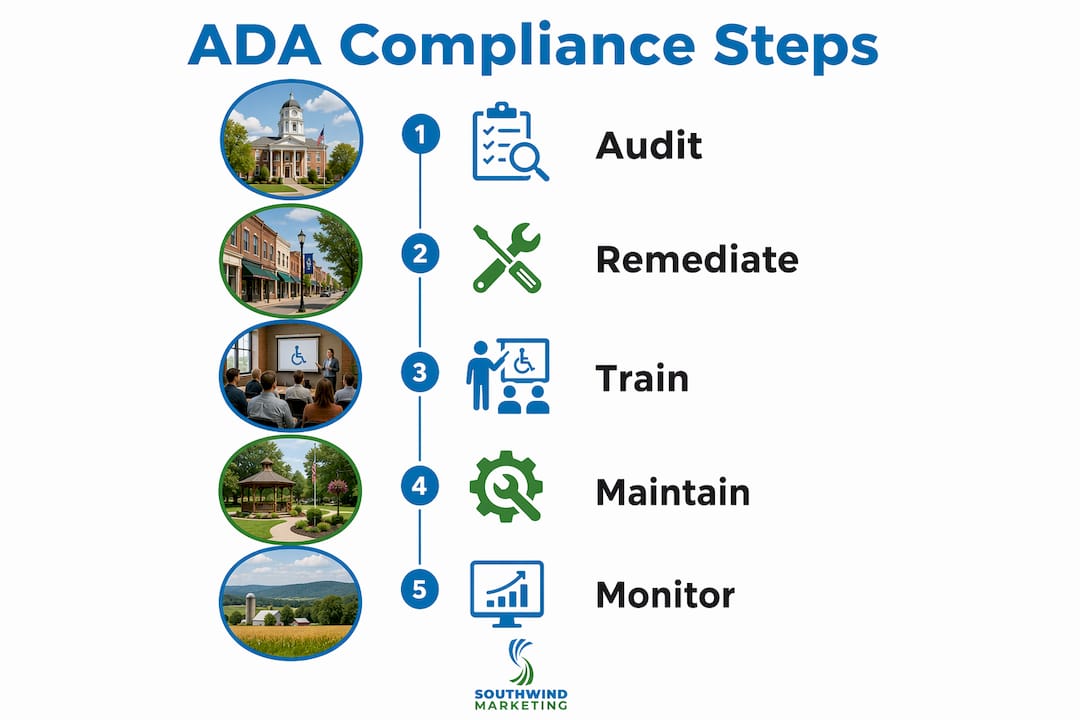
The process follows four stages:
Audit: For existing sites, Southwind starts with a documented accessibility audit covering automated scanning, manual keyboard and screen reader testing, and a PDF inventory. The audit report prioritizes findings by severity and maps each issue to the relevant WCAG success criterion.
Template-first accessible design: New sites are designed with WCAG 2.1 Level AA in mind from the wireframe stage. Color palettes are tested for contrast before a single page is built. Heading hierarchies are defined in the design system, not improvised by content editors later.
Semantic, WCAG-conscious development: Every theme and template Southwind delivers uses semantic HTML, proper ARIA where genuinely needed, keyboard-accessible navigation, labeled forms, and accessible widget patterns. The goal is a codebase that stays accessible as content editors add new pages, not one that requires constant developer intervention.
Training and maintenance: After launch, content editors receive training on alt text, heading structure, accessible link text, and PDF handling. Southwind provides an accessibility statement template and supports ongoing compliance through maintenance agreements.
Deliverables on a typical accessible WordPress project include an accessibility audit report, a remediated theme and page templates, CMS editor training, a published accessibility statement, and ongoing support. For public entities, Southwind also reviews vendor contract language and can provide documentation to support your compliance planning.
Building accessibly from day one costs less than retrofitting later, and the ADA.gov guidance backs that up. For rural communities working with limited budgets and small IT teams, that is not a minor point.
Key Takeaways
Public entities are expected to meet WCAG 2.1 Level AA within staggered deadlines based on their population size and classification, as outlined by DOJ compliance rules., and private businesses face ongoing Title III litigation exposure right now.
| Point | Details |
|---|---|
| Title II deadlines are set | April 26, 2027 for entities with 50,000+ population; April 26, 2028 for smaller entities and special districts. |
| Title III exposure is ongoing | Private businesses face active litigation risk now, with no single deadline to wait for. |
| Build right beats retrofitting | Building to WCAG 2.1 Level AA from the start costs less than remediating an existing site. |
| Contracts must include WCAG language | Public entities remain legally responsible for vendor-built content; require WCAG 2.1 Level AA conformance in every RFP and contract. |
| Southwind Marketing builds accessibly from day one | Southwind delivers WCAG-conscious WordPress sites for towns, chambers, and small businesses, including audit reports, training, and accessibility statements. |
Why accessibility in rural America is worth getting right
Rural communities often have older populations, higher rates of disability, and residents who depend on government websites and local business sites for services they cannot easily access in person. When a city's permit application is buried in a scanned PDF, or a chamber's event calendar cannot be navigated by keyboard, real people are excluded from civic and economic life.
The compliance deadlines are real, and the litigation risk for businesses is real. But the stronger argument for accessibility is simpler: your website is often the first point of contact between your organization and the public. If it excludes people with disabilities, you are not serving your community.
The organizations that get ahead of this now, by auditing their sites, fixing the most common barriers, and building accessible templates, will spend less money and face less risk than those who wait until a demand letter arrives. That is true whether you are a city of 3,000 in western Kansas or a chamber of commerce in rural Arkansas.
Accessibility also has a practical upside beyond compliance. Accessible sites tend to rank better in search, load faster, and work better on mobile devices. The connection between accessibility and SEO is real and measurable, which means the investment pays off in more than one direction.
Southwind Marketing builds accessible websites for rural communities
Southwind Marketing works with cities, chambers, Main Street programs, and small businesses across rural America to build WordPress websites that meet WCAG 2.1 Level AA from launch, not as an afterthought. The practical difference: your staff is not scrambling to remediate a site six months before a DOJ deadline, and your community is not excluded from services because of barriers that should never have been there.
If you are a municipal staff member, chamber director, or small business owner who needs a website that is built accessibly from day one, Southwind Marketing offers accessible WordPress builds, accessibility audits, and compliance documentation for public entities and private organizations. Request an accessibility audit or book a discovery call through our website design services page to talk through your timeline, your current site's gaps, and what a compliant build looks like for your community.
This article is general guidance, not legal advice. Confirm your specific obligations and deadlines with a qualified attorney or by consulting the primary sources linked throughout.
Useful sources and recommended tools
- ADA.gov: Guidance on Web Accessibility and the ADA — Title II and Title III overview
- ADA.gov: DOJ Title II Fact Sheet with Compliance Dates
- ADA.gov: Small Entity Compliance Guide
- ADA.gov: First Steps for Title II Compliance
- Federal Register: IFR Extending Compliance Dates (April 20, 2026)
- Federal Register: DOJ Title II Final Rule (April 24, 2024)
- ADA.gov: Businesses Open to the Public (Title III)
- WAVE Accessibility Checker — WebAIM
- axe Accessibility Testing — Deque
- Southwind Marketing: Website Design for Chambers, EDOs & Local Government
- Southwind Marketing: ADA Compliance for City Websites
FAQ
Does every website need to be ADA compliant?
Every state and local government website must meet WCAG 2.1 Level AA under Title II of the ADA, with deadlines of April 26, 2027 or April 26, 2028 depending on population. Private businesses open to the public face ongoing Title III exposure even without a specific website deadline.
Can you be sued for having an inaccessible website?
Yes. Courts have consistently treated inaccessible websites as potential ADA violations under Title III, and businesses with a physical location face the clearest legal exposure. Demand letters and lawsuits over inaccessible websites are common and do not require a formal DOJ deadline to trigger.
How do you know if your website is ADA compliant?
Run a free automated scan using WAVE or axe, then follow up with manual keyboard navigation testing and a screen reader check. Automated tools catch many common issues but miss logical and experiential barriers, so a full audit combines automated scanning, manual review, and testing with real users who rely on assistive technology.
How do you make a website ADA compliant?
Start with an audit to identify barriers, then fix template-level issues first so corrections apply site-wide. Key fixes include adding alt text to images, labeling form fields, adding captions to video, fixing color contrast, and remediating inaccessible PDFs. Southwind Marketing builds WCAG 2.1 Level AA-conscious WordPress sites from the ground up, which avoids the higher cost of retrofitting an existing site later.